

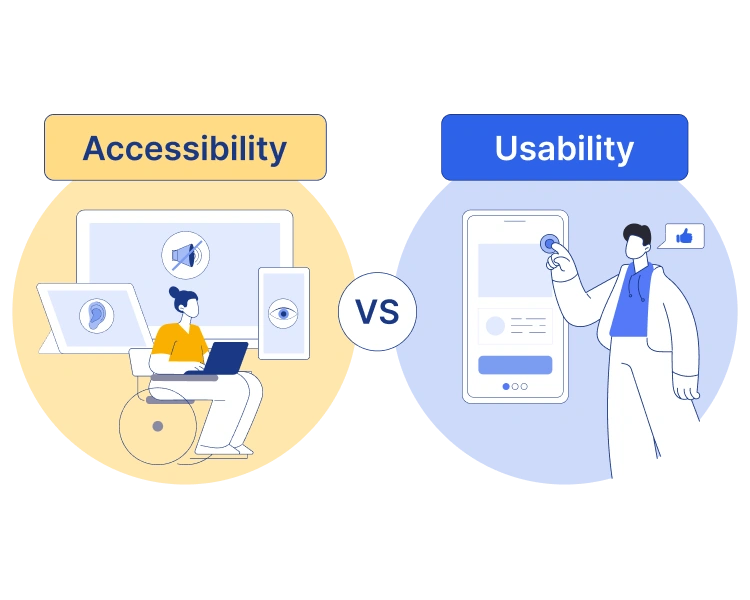
When it comes to usability and accessibility, they are two of the most crucial aspects of creating a website. These two elements control how easy it is to interact, navigate, and understand your website’s information. They are especially important when it comes to individuals with disabilities who may have a harder time reading, hearing, or understanding your content. Today, I am going to show you the importance and some of the best practices when it comes to optimizing your website’s usability and accessibility.
What is Accessibility & Usability
Accessibility
Accessibility in this sense is ensuring that all people, no matter their disability, can all fully access and use your website. Whether someone has a visual, auditory, or cognitive disability, they should be able to access and use all elements of your website.
A couple of helpful tools for this are ensuring that your content is optimized for screen readers, alt text, readable text, and keyboard navigation.
Usability
Usability focuses more on how intuitive your website is to navigate. This affects all users of your website regardless of whether they have a disability or not. Usability is essential for your website’s success; a few factors that usability affects are customer retention, increasing your engagement, and meeting your overall business goals.
A couple of elements of usability also include how smoothly and efficiently your website can load, as well as the clarity, simplicity, and overall design of your website.
Why Accessibility and Usability Matter?
Accessibility Law & Guidelines
Web accessibility means that anyone can access your website regardless of an individual’s disability. That being said, when your website is not accessible to those with disabilities, it’s no different than not having a wheelchair ramp at a physical location. This is why it is crucial for your website to be optimized for those with disabilities.
Furthermore, the ADA (Americans with Disabilities Act) requires that all state and local governments, as well as businesses that are open to the public, be accessible to those with disabilities and not discriminate against them.
This is incredibly important for those who can only access certain things online, like voting, paying for tickets or fees, tax documents, applying for state benefits or programs, filing a police report, and registering for school or a school program. As stated earlier, this also applies to businesses that are open to the public, which would include things like banks, hotels, hospitals, food and drink establishments, and retail stores
Ethical & Inclusive Design
Having an ethical and inclusive design means that your website works for everyone, not just people without disabilities. With that, having an inclusive design signifies a clear message that every visitor is valued and welcome. Therefore, it’s critical that all users who may have visual, auditory, or cognitive disabilities feel valued and welcome. Adhering to these practices not only improves trust, but also user satisfaction and your overall brand reputation.
Business Impact
Usability and accessibility can have a major impact on your business. It also directly affects how well your website preforms. If you follow the best practices for usability and accessibility then it can improve multiple elements of your website including things like your SEO, your bounce rates, user satisfaction, and reaching a larger audience. For example, features like alt text, having a strong structure, and fast performance all improve SEO. In short, having better accessibility leads to more visitors, more conversions, stronger customer loyalty, and better long-term business outcomes.
Accessibility Best Practices

Alt Text & Image Descriptions
Alt text or alternative text is used to describe the images that are on your website, this is helpful for individuals who are visually impaired and cannot physically see the images. Doing this to your images also improves your SEO, so in turn, adding alt text not only makes your website accessible but also benefits your businesses SEO.
Color Contrast & Visual Hierarchy
Having a good contrast not only helps users with disabilities but everyone who is reading your content. It’s recommended by the WCAG (Web Content Accessibility Guidelines) that you should use specific contrast ratios to ensure that your text stands out and has good readability. WCAG also suggests that you should avoid only using colors to differentiate or indicate meaning, for example, don’t highlight errors only in red. Having a visual hierarchy is also important for indicating the importance and order of your content. For example, putting your most significant and important content first creates the focal point on your main content rather than the less important side points.
Keyboard Compatibility
Some users with disabilities are unable to use a mouse to navigate. Having all your interactive elements like menus, forms, buttons, and links, accessible by only the keyboard is essential.
Form Accessibility
Form accessibility is just as important and should have clear labels, error messages, descriptive placeholders, and instructions that make sense to screen readers. Every field should have a purpose so the user can easily understand.
Text Readability
Ensuring your text readability is just as important. You should use fonts that are easy to read and ensure that they are sufficiently sized. You should also ensure that the text is at a comfortable line height and should avoid tightly packed text blocks.
Usability Best Practices
Simple Navigation
Having a simple navigation can make all the difference when it comes to navigating throughout your website. Here are some tips:
- Use clear and predictable menu labels.
- Keep the number of menu items to a manageable level.
- Ensure users always know where they are on your site.
Content Layout
The layout of your content is just as important; here are some of the best practices:
- Keeping paragraphs in short and scannable sections.
- Having logical headings and subheadings.
- Keeping adequate spacing and whitespace between text blocks.
Mobile Usability
Optimizing mobile usability is also a critical aspect of optimizing your website in general; here are a few tips to help with that:
- Having a responsive layout.
- Incorporating touch-friendly buttons into your design.
- Prioritizing your essential content for smaller screens.
Page Speed
Page speed is also important; if your page and the content on it don’t load quickly, people are going to click off of it. Here are some things that you can do to prevent that:
- Compress your images to reduce their file size and improve load times.
- Remove any unnecessary scripts that could slow loading times.
- Use caching (which saves frequently accessed data to improve load speeds) and optimized hosting (made specifically for WordPress websites, which provide superior performance, security, and website management).
Strategies to Improve Your Website
- Add skip navigation links; these help screen readers bypass long menus and lists.
- Test out your website’s interface with different screen readers.
- Use clear and meaningful CTAs; the user should know exactly what’s going to happen when they click on it.
- Make links visually recognizable by underlining, changing the color, and/or style.
- Improve the sizing and contrast of your content.
To wrap everything up, a website that is both accessible and usable will overall perform better, reach more people, and create a better overall user experience. With the right strategies and design habits, all sites can become welcoming, efficient, and inclusive.
Sources
Patel, N. (2025, January 14). 10 best practices to follow for a truly accessible website. Neil Patel. https://neilpatel.com/blog/best-practices-for-website-accessibility/
Guidance on web accessibility and the ADA. (2026, January 27). ADA.gov. https://www.ada.gov/resources/web-guidance/
Nalawade, K. (2025, March 24). Everything you need to know about web accessibility. freeCodeCamp.org. https://www.freecodecamp.org/news/the-web-accessibility-handbook/#heading-what-is-accessibility
Mika, A. (2025, July 29). What is Website Usability? Ramotion. https://www.ramotion.com/blog/website-usability/

Leave a Reply